
Digital Banking LP

Banking that
believes in more.
Digital Banking Transformation
Coming June 30, 2026
A fresh new online & mobile banking experience is coming soon
We’re transforming our digital banking system to bring you a more modern, intuitive, and feature-rich way to bank online or from your phone.
Current digital banking users will need to take a few steps before and after go-live to prepare for the transition and access the new platform.
Customers who do not currently use online or mobile banking can continue banking as they normally would, with no interruption to their regular banking experience.
Key dates to keep in mind
For the full list of changes and important dates, see below, and check this page often to get the latest updates as the upgrade date approaches.
Please review the timeline below and plan ahead for any online banking, mobile banking, transfer, Bill Pay, mobile deposit, or business banking needs.
Early Restrictions Begin
Starting at 8:00 AM, the following services will be unavailable:
- New online or mobile banking enrollments
- New eStatement enrollments
- New external transfers through TransferNow
Additional Service Updates
- 2:00 AM: Bill Pay will be disabled for all customers
- 2:00 PM: Mobile Deposit will become unavailable
- 5:00 PM: Digital banking access will become unavailable
Transition Weekend
Online and mobile banking will be unavailable during this time. Transactions will continue processing, but visibility and functionality within digital channels will be limited.
New Digital Banking Platform Goes Live
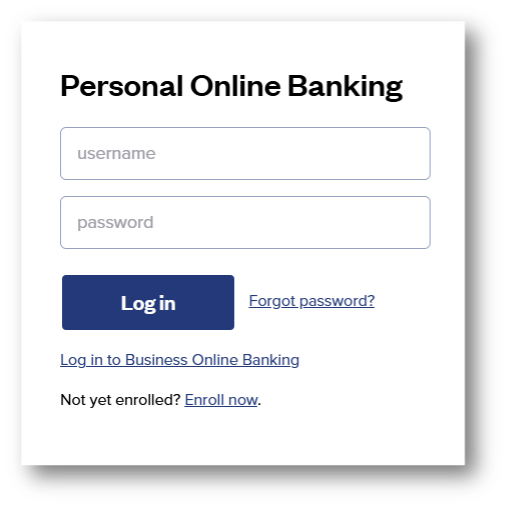
Beginning at 10:00 AM, you can access the new platform, update your bookmark, and download the new mobile app.
How does this impact you?
Questions? We are here for you.
Our Customer Contact Center will have extended hours during the digital banking transition weekend to help customers prepare for and navigate the application enhancements.
Need assistance during the transition? Contact us directly and a team member will be happy to help.
Call 1.800.287.0752NEW
features & improved functions
Our new digital banking experience is designed to make managing your money easier, more organized, and more convenient. From a customizable dashboard and expanded transfer options to enhanced alerts, card controls, mobile deposit, and business banking tools, the updated platform brings more of the features you need into one easy-to-use experience.
Customizable Dashboard
Enjoy a bright, new dashboard designed to make everyday banking easier. Quickly view account information, recent transactions, favorite accounts, and quick links for common tasks.
Account Organization & Favorite Accounts
Group accounts into categories like checking, savings, CDs, youth accounts, or loans, and select up to five favorite accounts for quick access from your dashboard.
Transfers & External Account Access
Link external accounts, view balances in one place, transfer funds to accounts outside of FSB, and send money to other FSB customers with ease.
More Card Controls
Add cards to digital wallets, monitor debit card activity, set real-time alerts, and use CardSwap to update your card information across recurring subscriptions and payments.
Enhanced Alerts
Receive secure messages and customize alerts for account activity, card transactions, ACH transactions, scheduled transfers, login changes, balance thresholds, and more.
Loan Payments & Payment Updates
Schedule or initiate loan payments online or from your phone, and use ClickSWITCH to help update direct deposits and recurring payments.
Personal Finance Manager
Link your expenses and assets to get a more complete view of your finances in one place.
Mobile Deposit
Enjoy an enhanced mobile check deposit experience through the new FSB mobile app.
Custom Login IDs
Change your login ID yourself at any time.
Business Banking Tools
Business customers will have access to a separate Business Banking tab for functions like Remote Deposit Capture, ACH, and wires. Quick actions such as money transfers, employee-locked logins, and transaction approvals will also be easier to find and manage.